My Role
Teams
Design, Product, Dev, Business
Timeline
4 months
Focus
0-1 Enterprice UX, UI Design
PPL Electric was in the middle of a company merger, integrating two separate operating companies. One handled electric emergencies while the other handled gas. Part of that integration required a single, unified emergency response tool that agents from both companies could use.
The existing tool only handled electric emergencies. It was out of date, undocumented, and had never been touched by a design team. There were no requirements, no component library, and no established relationship between the service design team and the Customer Back Office (CBO). This project would be the first time the two teams had ever worked together.
The product problem
One tool, two emergency types, two operating companies with different procedures and no documented requirements to start from.
The process problem
No existing design-product partnership on this workstream. No component library and extremely outdated UI with no documentation. The tool and infrastructure to support it had to be built simultaneously.
~20%
Increase in emergency call succession rate
Agents completing calls successfully
~15%
Increase in first call resolution on first interaction
Fewer repeat contacts per emergency
~18%
Decrease in call time for reporting emergencies
Faster resolution for customers in crisis
Experience goal
Agents handling gas or electric emergencies should be able to move through the call faster, with less cognitive load and fewer steps to resolution.
Business goal
A unified tool that satisfies both operating companies' requirements and establishes a reusable Customer Back Office component library for all relevant future workstream projects.
Before designing a single screen, we documented the existing emergency procedures for both operating companies in full. Company one handled electric emergencies, company two handled gas. Two separate workflows, two sets of subject matter experts, two different organizational cultures, all of which had to fit into one coherent agent experience.


Once both flows were documented, we workshopped a single unified flow with stakeholders from both companies to validate that it met all requirements before a single screen was designed.
Two operating companies meant two sets of stakeholders. Each came with their own priorities, subject matter experts, and opinions about how emergency procedures should work. Furthermore, the process for building new features in the tool was previously handled by developers building on the spot, which led to many design inconsistencies and reps creating workarounds. It required the design to be consistent thinking about deliverying for a design library for future work.
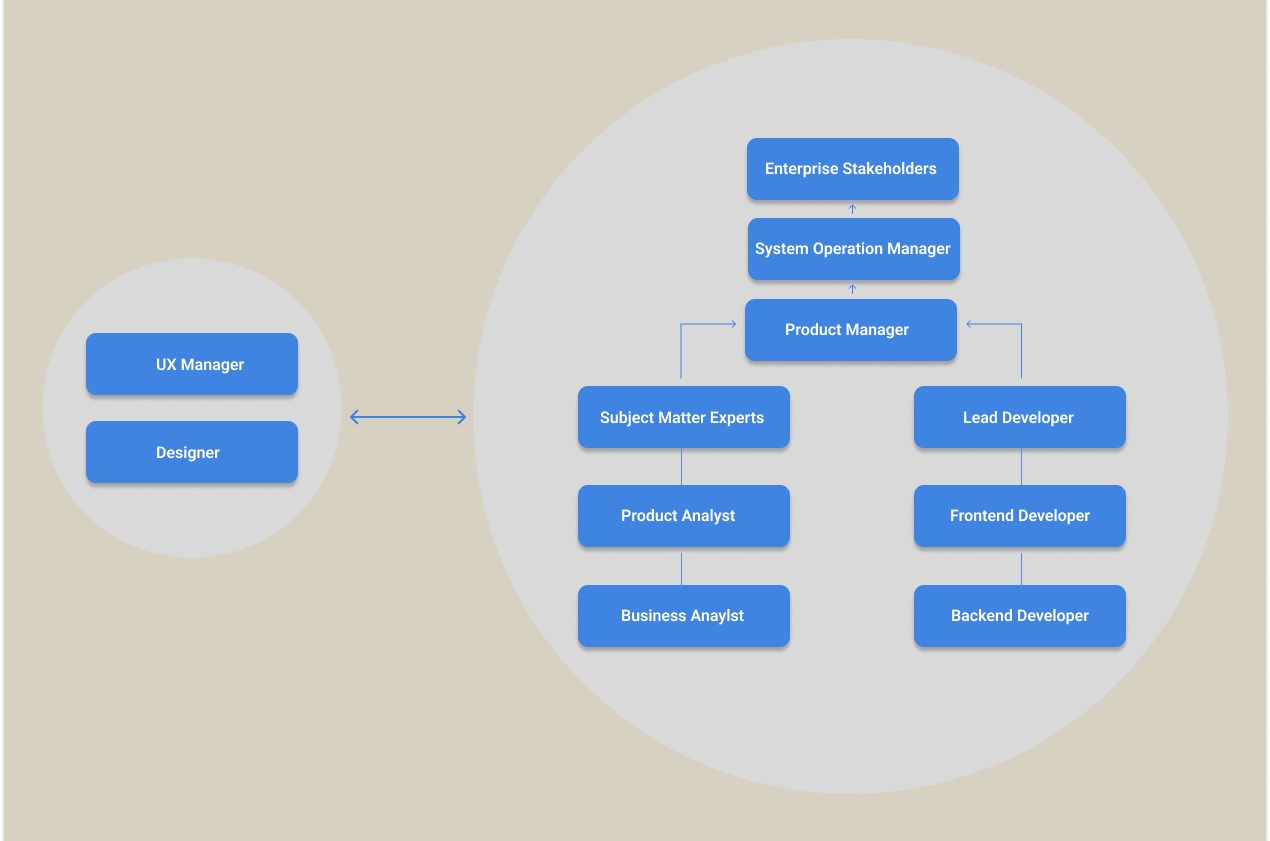
Building the tool and the library simultaneously
The Customer Back Office (CBO) workstream had never had a design component library. There were no documented components, no color semantics, and no usage guidelines. The tool existed in a developer-built environment that had accumulated conventions nobody had documented. While designing the emergency response tool, we also established the foundational component library that all future CBO projects would be built on.
With no existing component documentation, the designers came together to build documentation around how certain components should be used and what different colors within the components meant. The team collaborated with the CBO team to ensure that these decisions were in alignment with how they saw these components in their existing workstream.

The design process moved continuously from low to high fidelity, with stakeholder input built into every stage. Rather than presenting finished screens for approval, we kept stakeholders inside the process by using the designs as a live conversation tool rather than a final deliverable to rubber-stamp

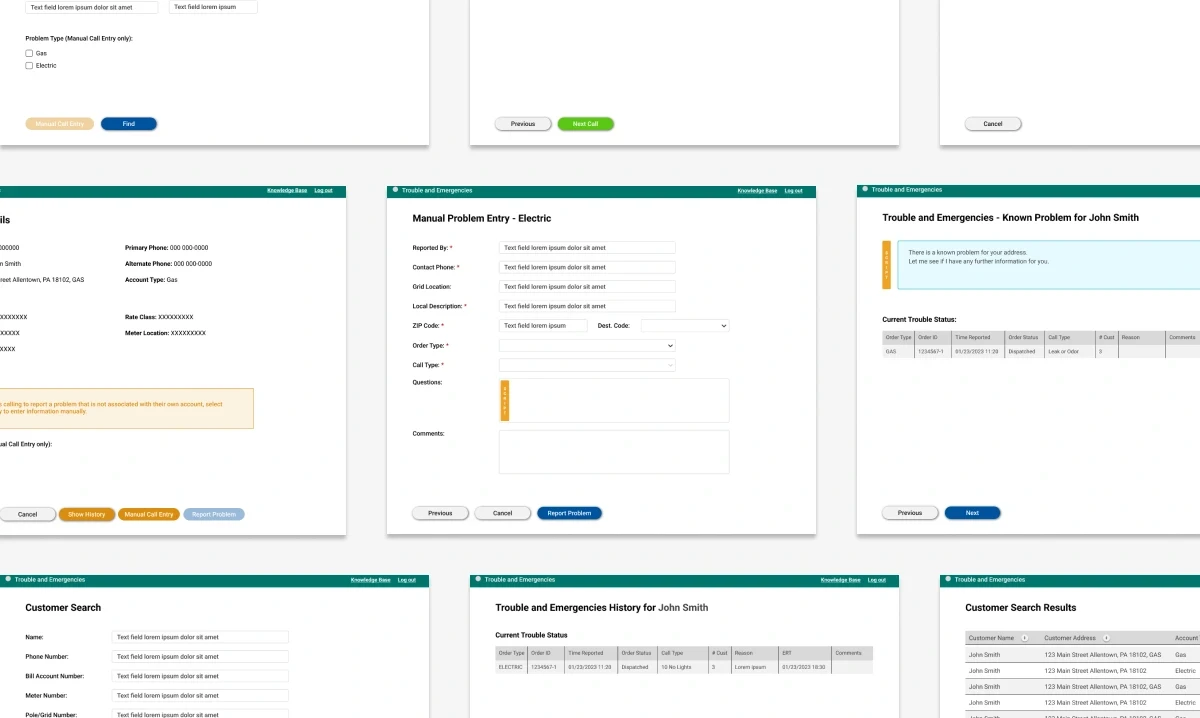
To get the tool across the line, I worked with product and business analysts to build formal requirements documentation directly inside the Figma file. We tracked which screens were pending feedback and which requirements were still open. This gave stakeholders a single place to review, respond, and approve, without the context-switching of separate documentation tools. Once all requirements were locked, we polished the final deliverables and handed off to development.

Journey map before screen one
With two companies, two procedures, and no shared documentation, the temptation was to start designing immediately. We resisted it.
Weekly cadences as a design tool
In a multi-stakeholder environment where expert opinions frequently conflicted, regular structured cadences pushed our stakeholders to reach alignment in every key process point.
Building a UI system
Building the CBO component library in parallel with the emergency tool was harder in the short term, but it set up a library of components that designers can pull from for back office items long term.
Unified procedure
Agents no longer had to recall or search for which company's procedure applied. The tool's entry point routing surface the correct emergency flow immediately, removing the guesswork that caused mid-call hesitation.
1
2
3